Leany, LeanStone’s operations system
The system LeanStone runs on: industry research, sales, project delivery, a client portal and the money, in one record. Built in-house and self-hosted, not bought.
- What we built
- Dashboard and Inbox
- Industry studies
- AI-assisted studies
- CRM
- Deal pipeline
- Proposals
- Projects and sprints
- Client portal
- Finance
- AI assistants
- Roles and permissions
- Tasks and ideas
- Built with
- Next.js
- React
- NestJS
- TypeScript
- Tailwind CSS
- Prisma
- PostgreSQL
The problem
We sell by research. We study an industry, form a problem hypothesis for each company, work it into a deal, then deliver the project and get paid.
That chain lived across planning files, chats and spreadsheets. Nothing joined a study to a deal, a deal to a project, or a project to its invoices. There was no funnel, and no one place that said what needed doing today.
What changed in how we work
Every step now sits on one record. A study leads to companies, a company becomes a deal, the deal becomes a proposal and then a project, and the project carries its invoices.
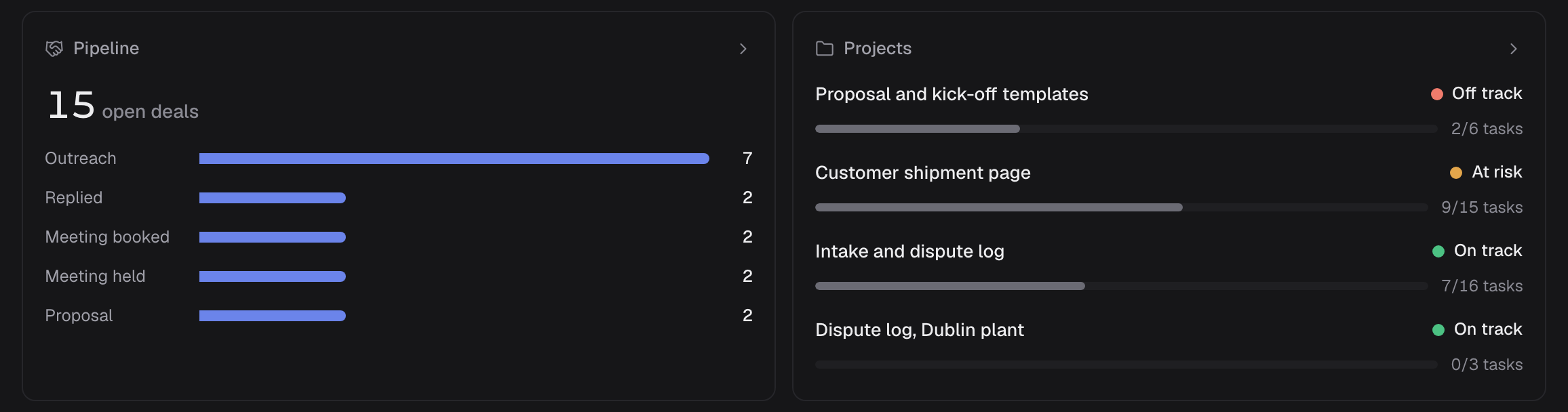
The day starts on one screen. Needs you collects what is late or waiting: invoices, costs to confirm, tasks, follow-ups, projects off track, quiet deals and proposals waiting on a decision.
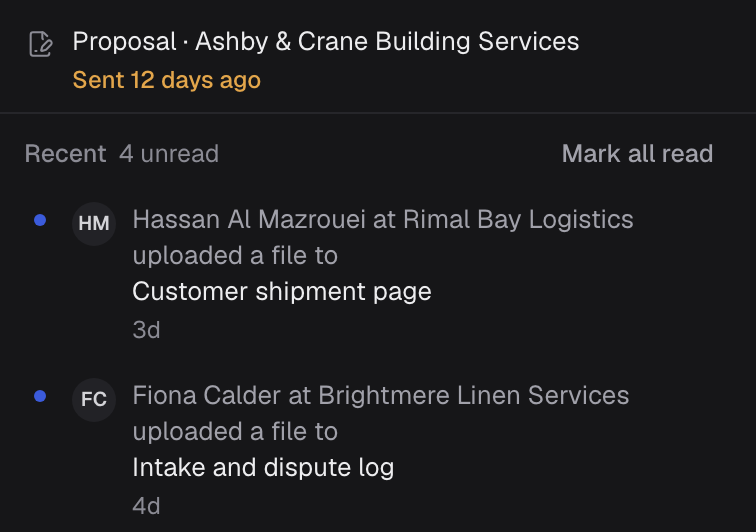
Clients have their own portal. They read our updates, write to us and send files there, and what they send reaches our Inbox.
| 01 Study an industry | 02 Research a company | 03 Start pursuing | 04 Work the deal | 05 Send a proposal | 06 Deliver | 07 Get paid | |
|---|---|---|---|---|---|---|---|
| We in Leany | Write the study and set a verdict | Note what we noticed, a hypothesis and who to approach | Turn the company into a deal, in one action | Log each call, meeting and message; follow-ups come due in the Inbox | Record each version sent, and when a decision is expected | Run the project in sprints, and publish updates | Invoice, and record each payment |
| Client in the portal | Reads our updates, writes to us and sends files | Opens each invoice as a PDF |
-
- We
- Write the study and set a verdict
-
- We
- Note what we noticed, a hypothesis and who to approach
-
- We
- Turn the company into a deal, in one action
-
- We
- Log each call, meeting and message; follow-ups come due in the Inbox
-
- We
- Record each version sent, and when a decision is expected
-
- We
- Run the project in sprints, and publish updates
- Client
- Reads our updates, writes to us and sends files
-
- We
- Invoice, and record each payment
- Client
- Opens each invoice as a PDF
What we built
The day
One screen says what needs doing.
- A dashboard. Needs you gathers seven kinds of late or waiting work, beside replies, meetings, open deals by stage and projects by health.
- An Inbox for what needs attention and what clients sent, read or unread.
Steps 01–02
Research
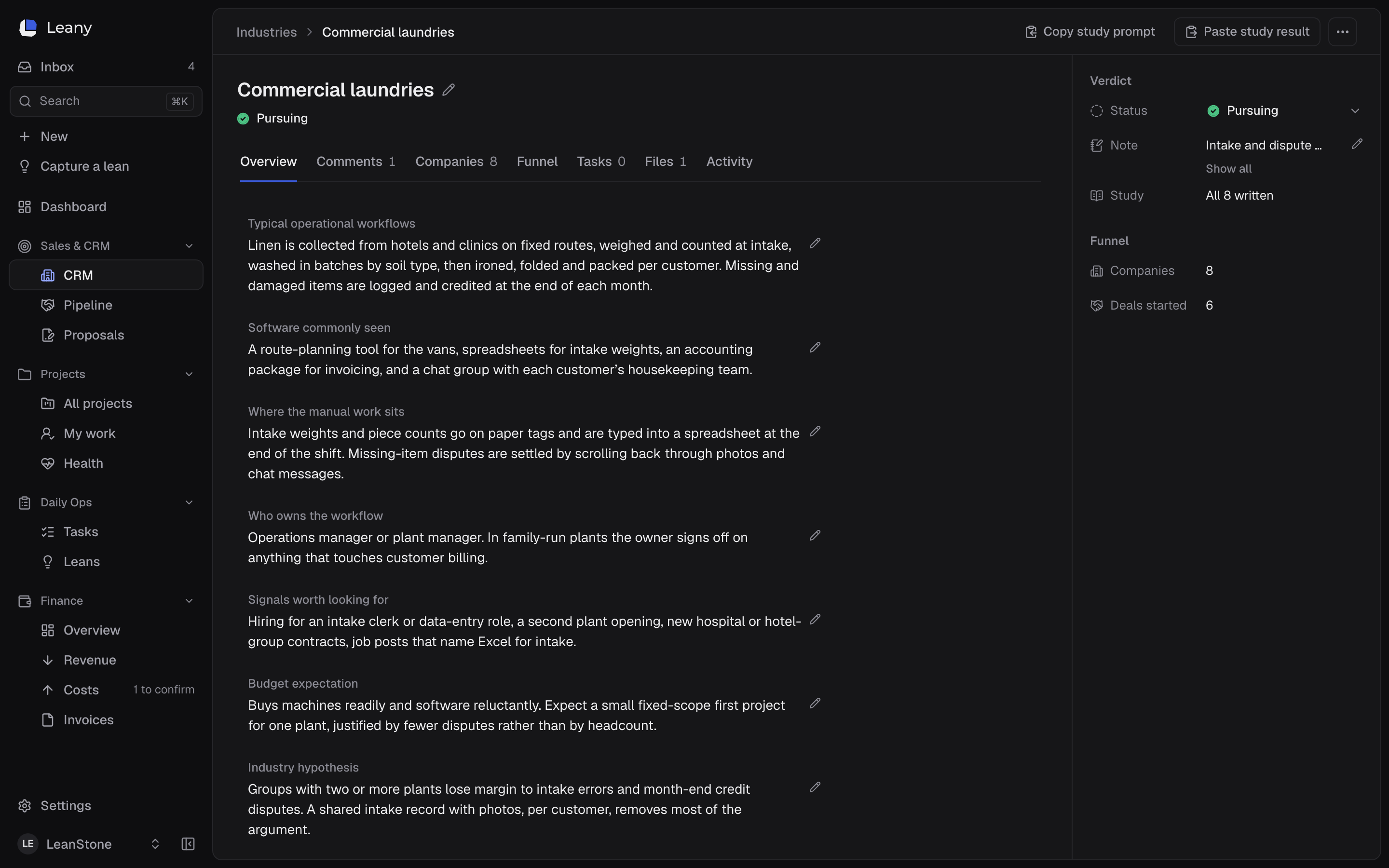
Selling starts with a study, not a list.
- Industry studies: eight written fields, a verdict (Unstudied, Studying, Pursuing or Parked) and a funnel for each industry.
- An AI-assisted study round trip. Leany writes a scoped prompt, we run it in an AI chat assistant, paste the answer back and pick the fields to keep. Each kept field is marked From a study. Leany itself sends nothing to an AI service.
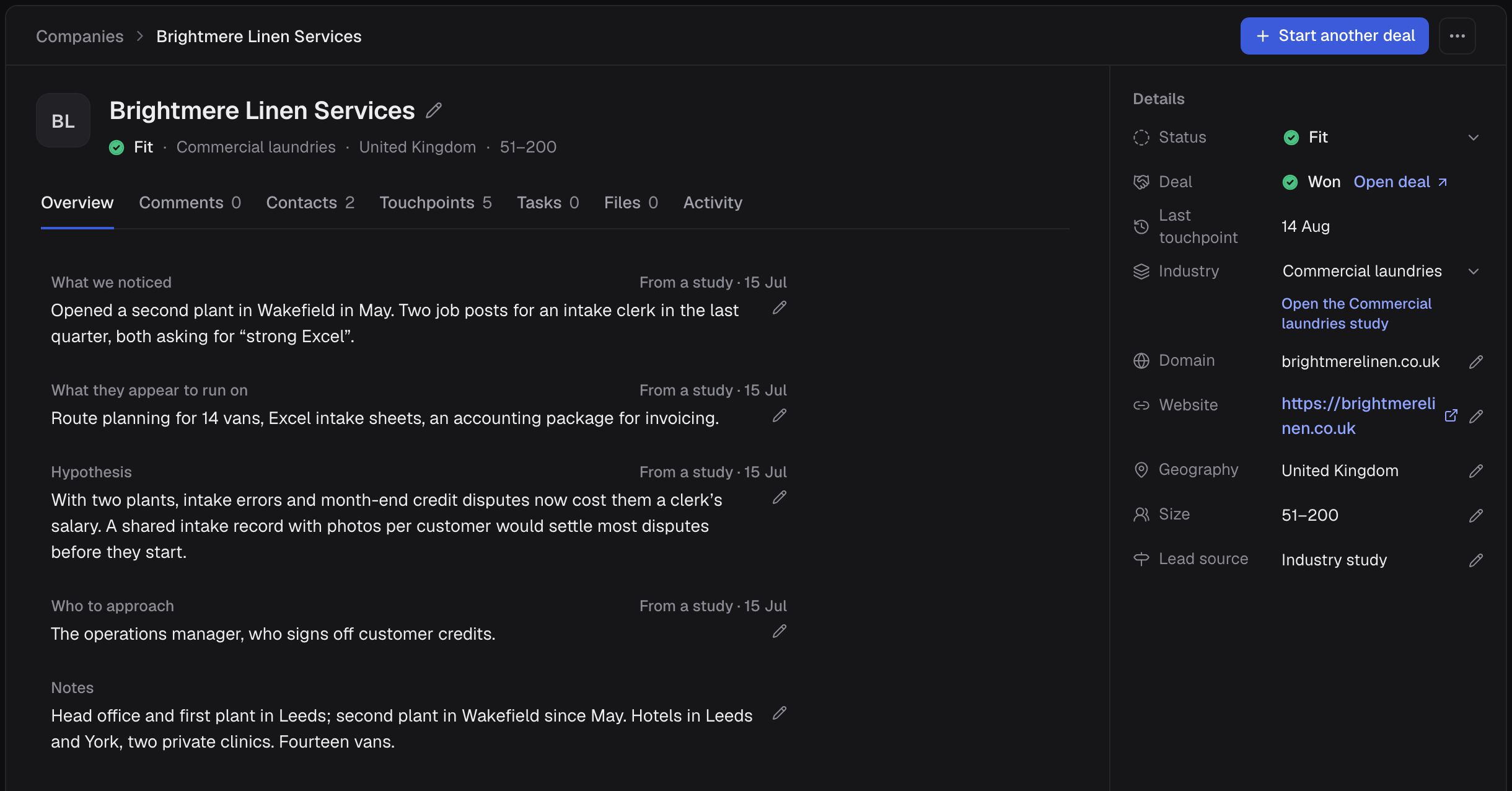
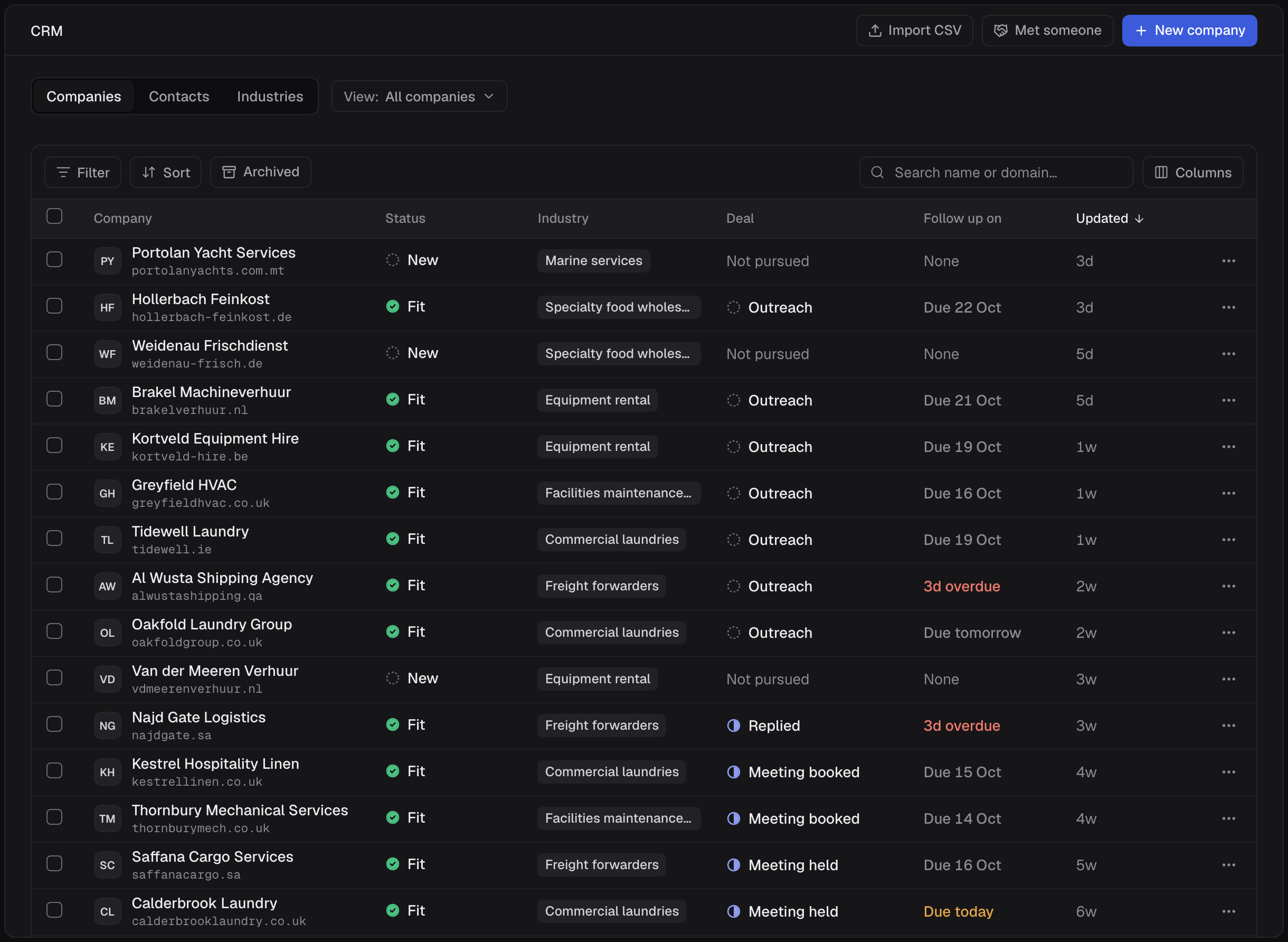
- A CRM: companies, contacts and industries in one grid, with filters, saved views, bulk actions and CSV import.
Steps 03–05
Selling
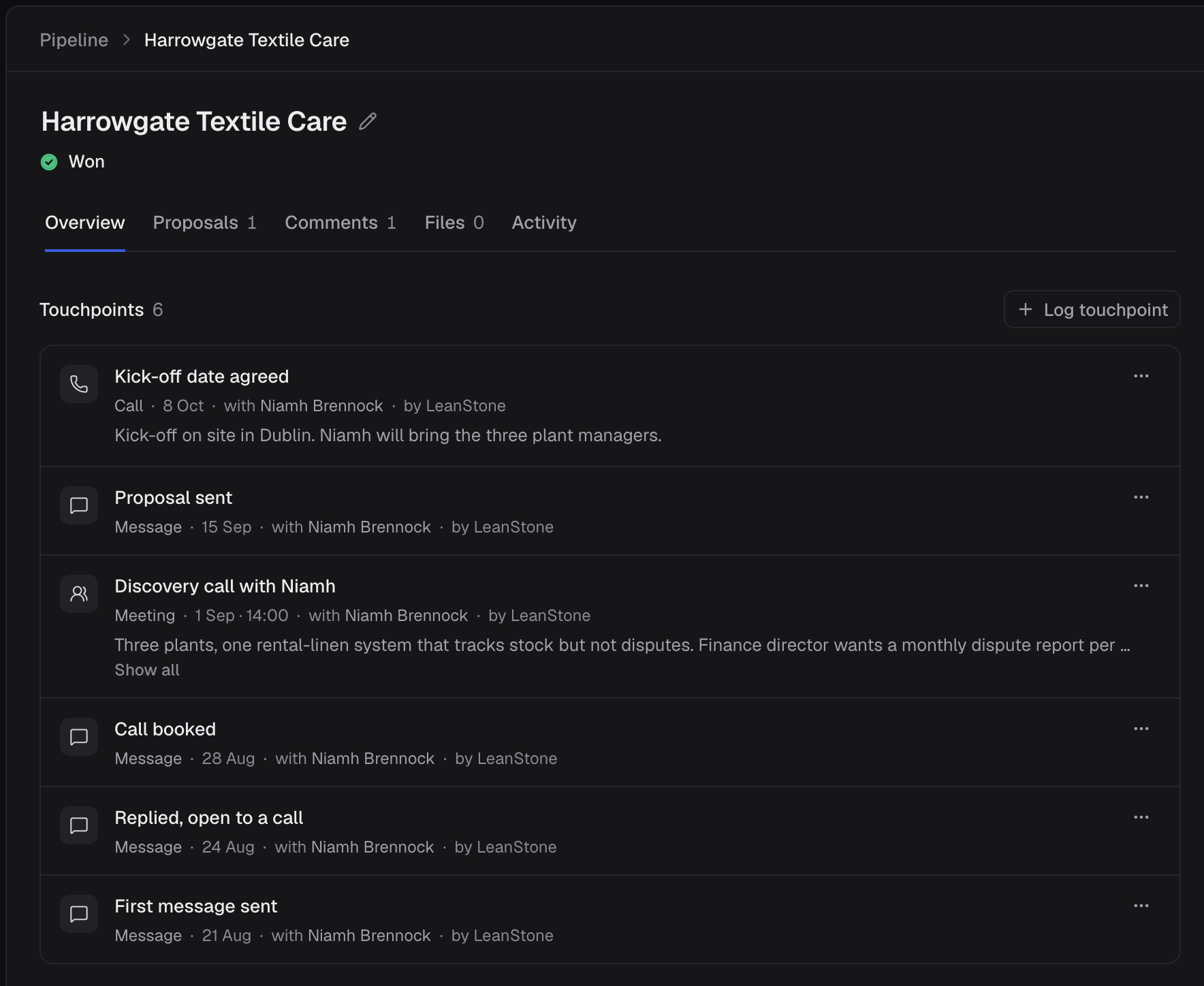
A deal remembers every conversation.
- Start pursuing turns a company into a deal, in one action.
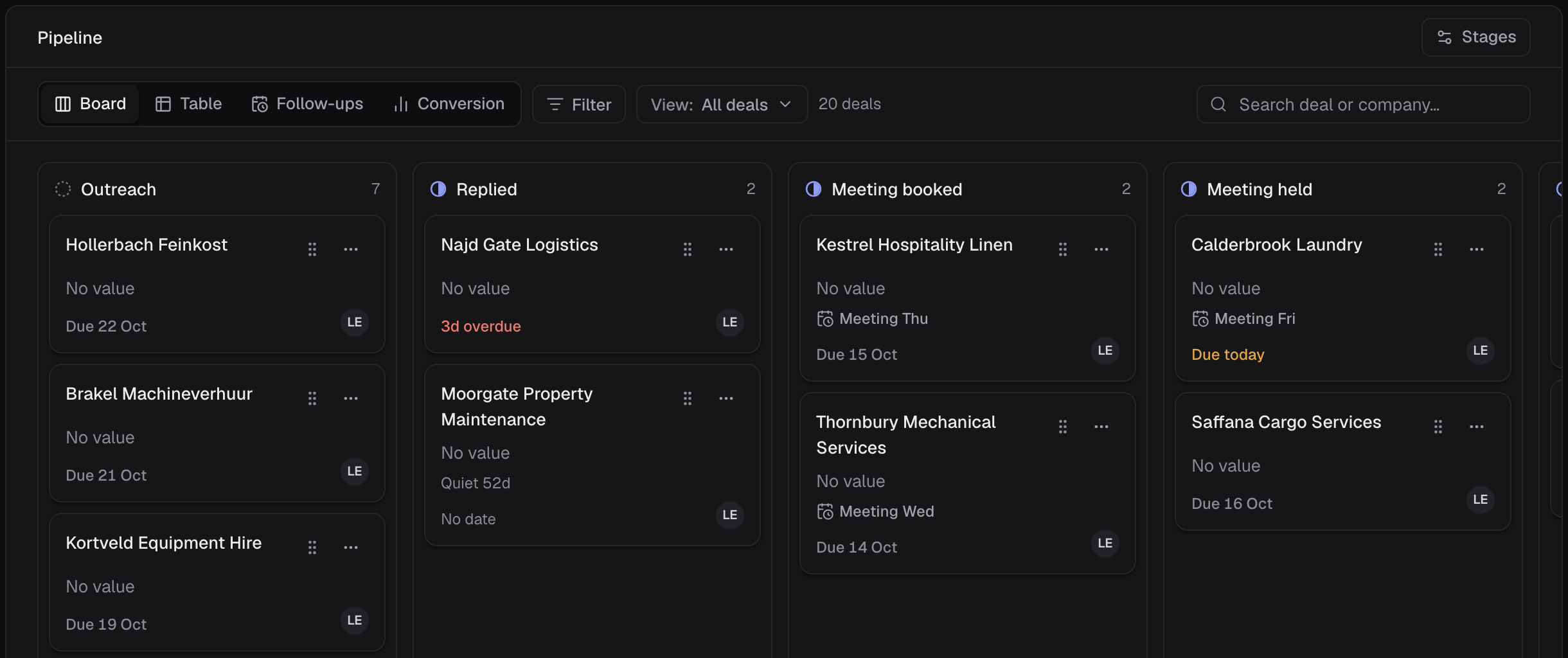
- A pipeline as a board or a table, over stages we configure. Every call, meeting and message is a touchpoint, follow-ups come due in the Inbox, and a deal with no contact for 14 days is marked quiet.
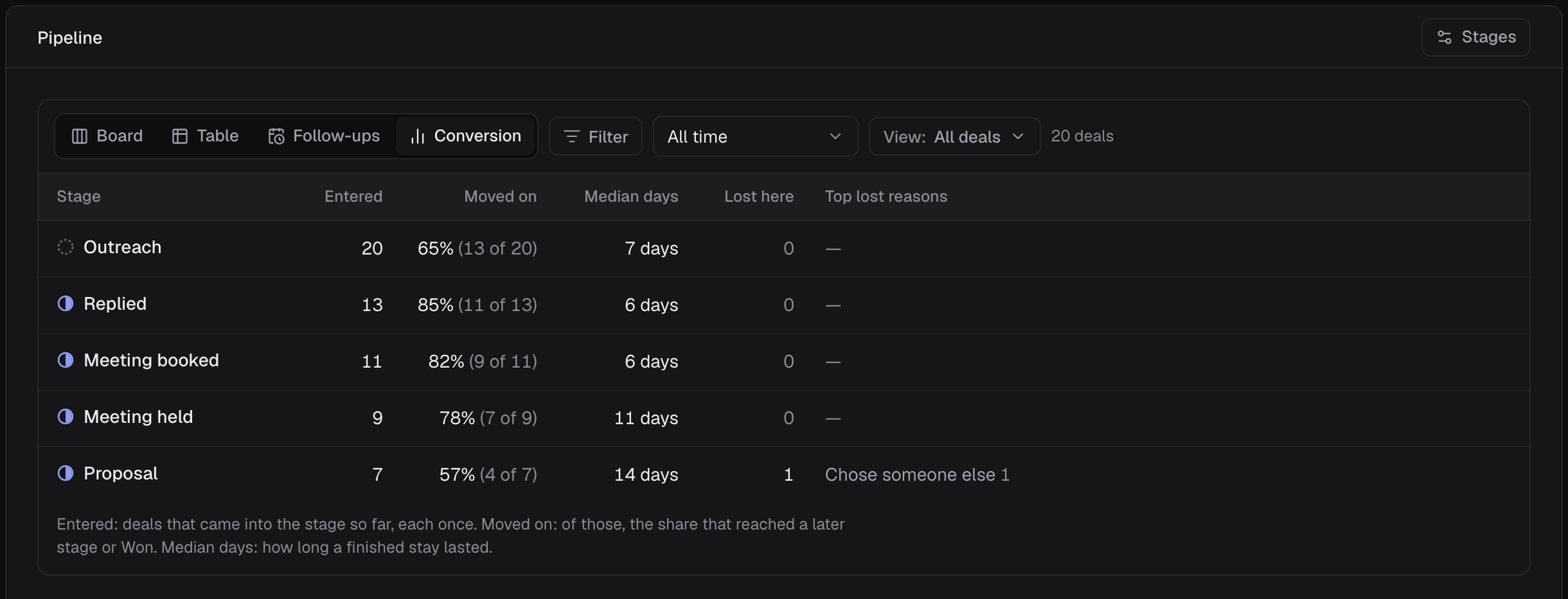
- A conversion view from stage history: how many deals entered each stage, how many moved on, the median days, and why deals were lost. A lost deal needs a reason.
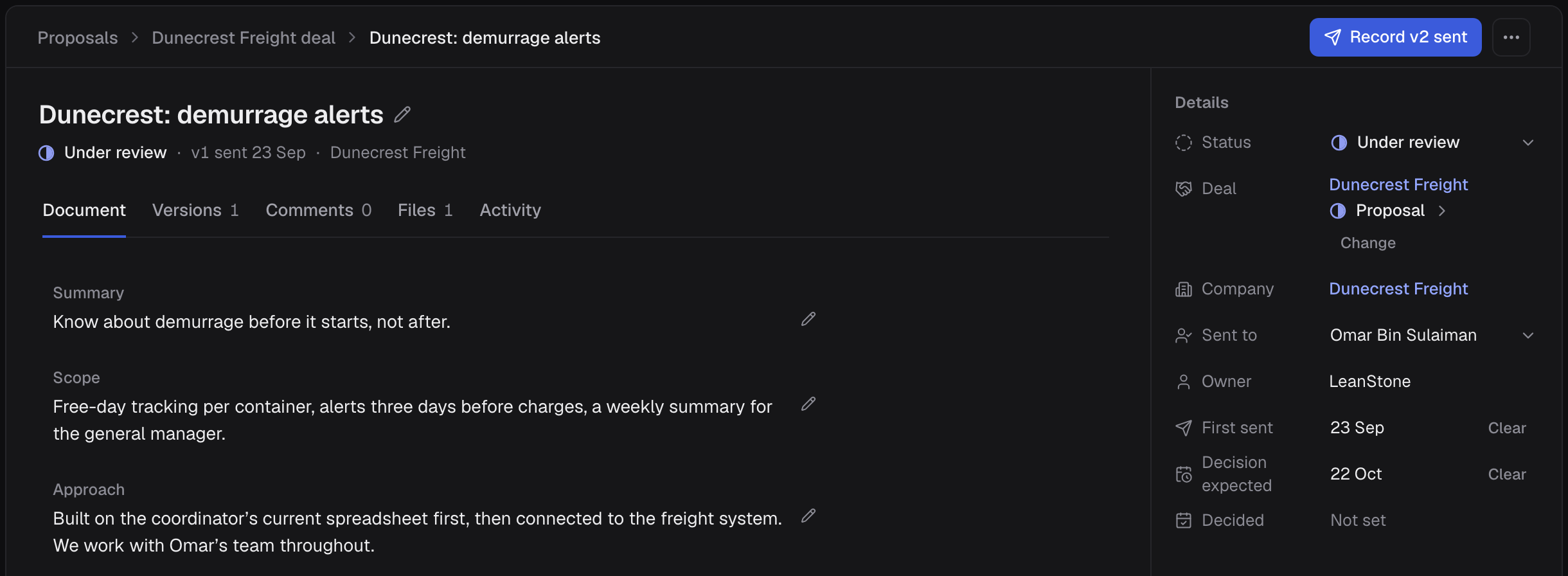
- Proposals in four sections, with every version sent recorded: who it went to, and when a decision is expected. A project can start from a proposal.
Step 06
Delivery
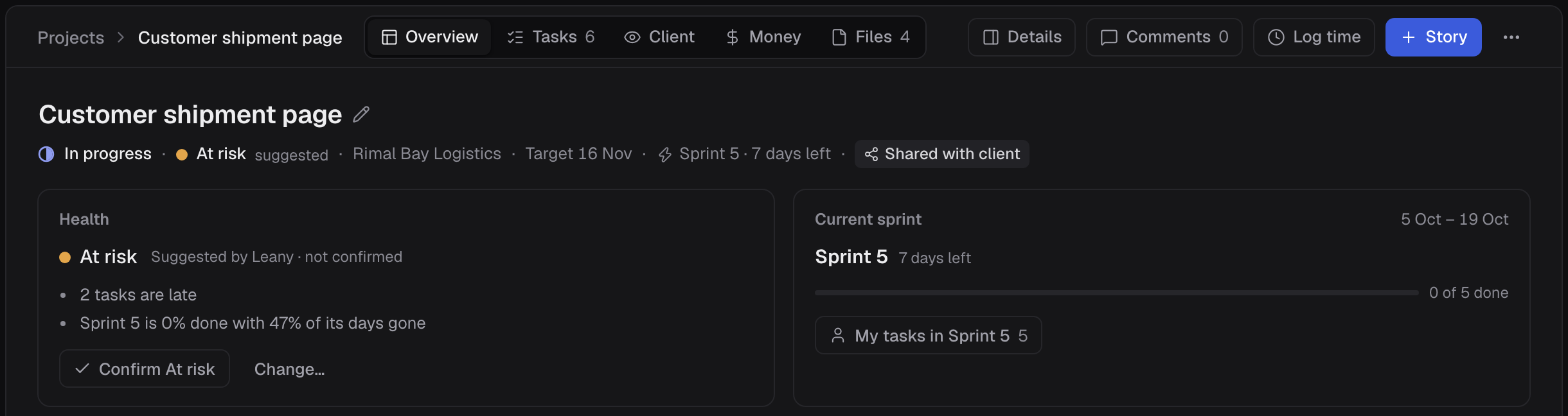
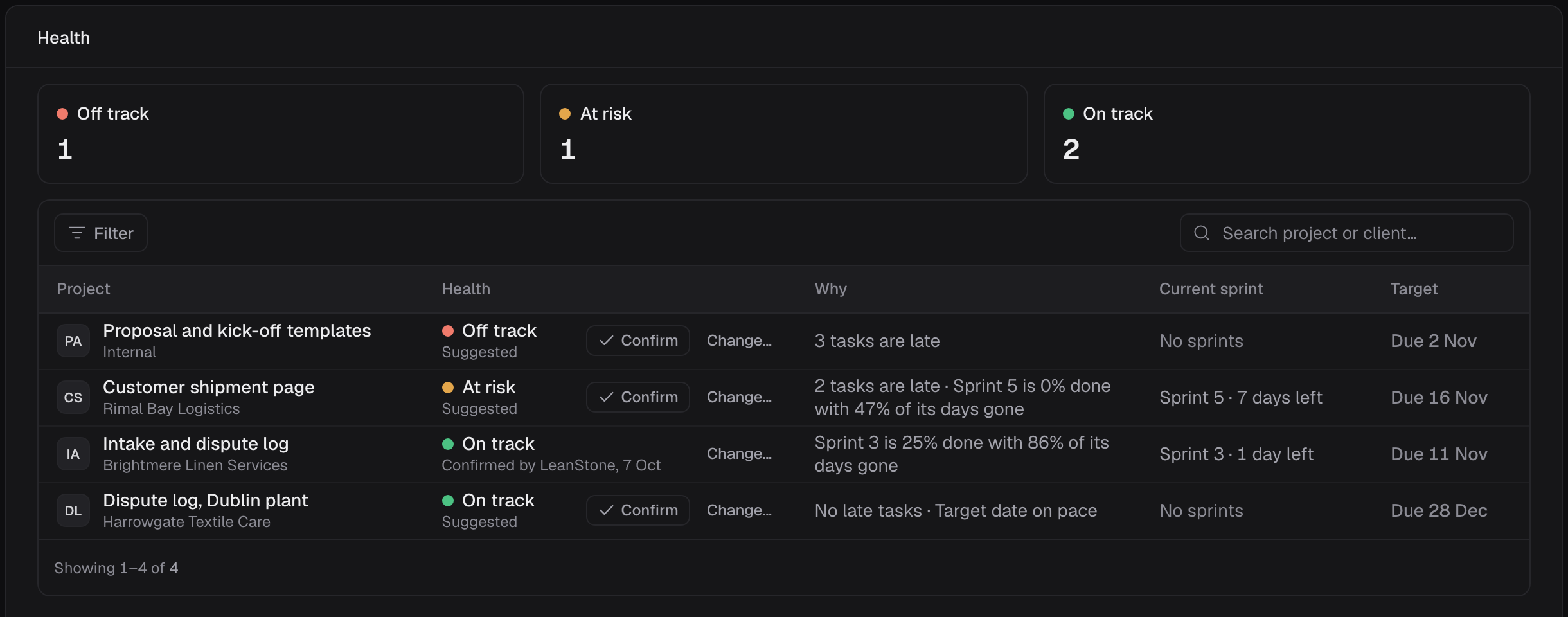
Projects run in sprints, and their health is worked out, not guessed.
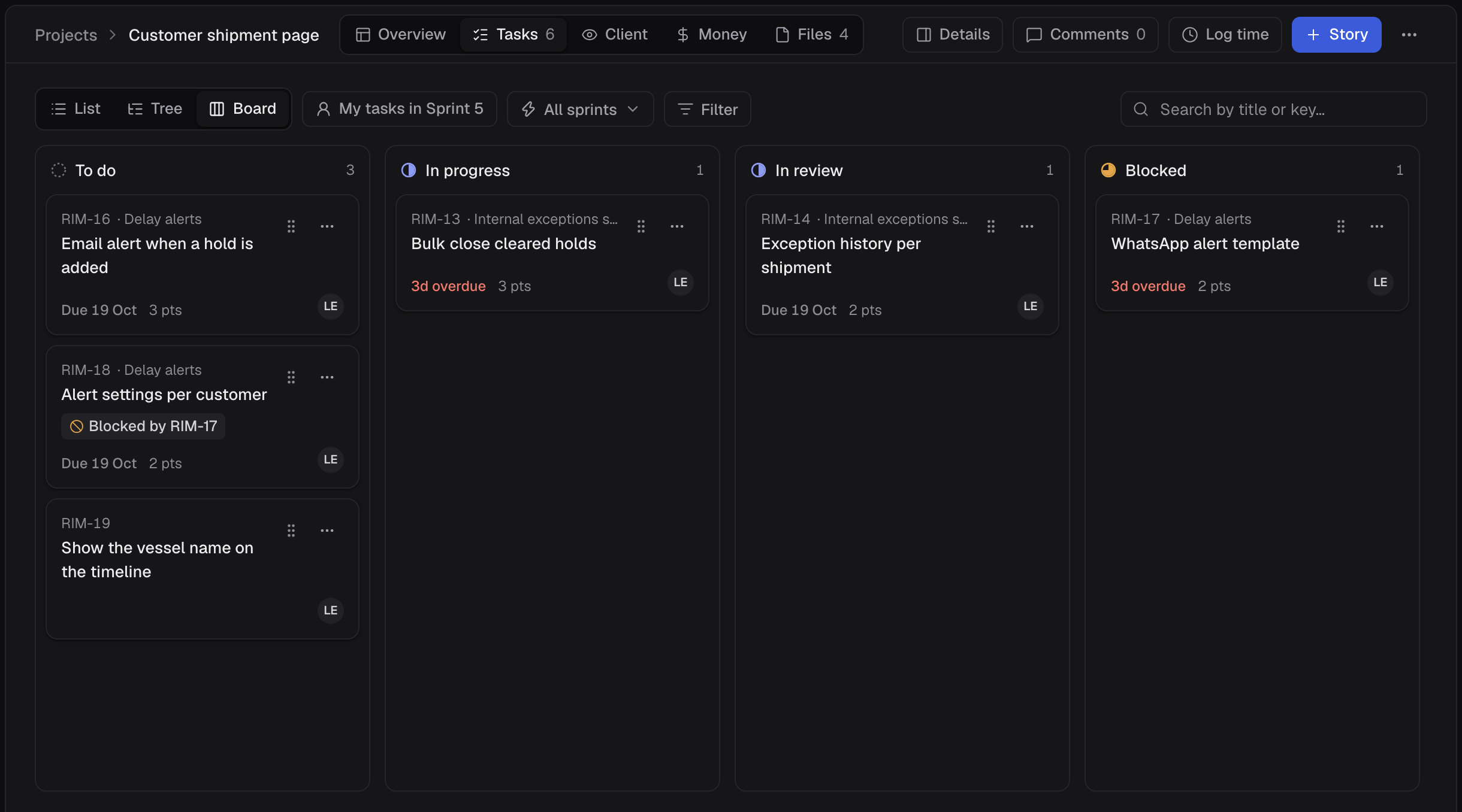
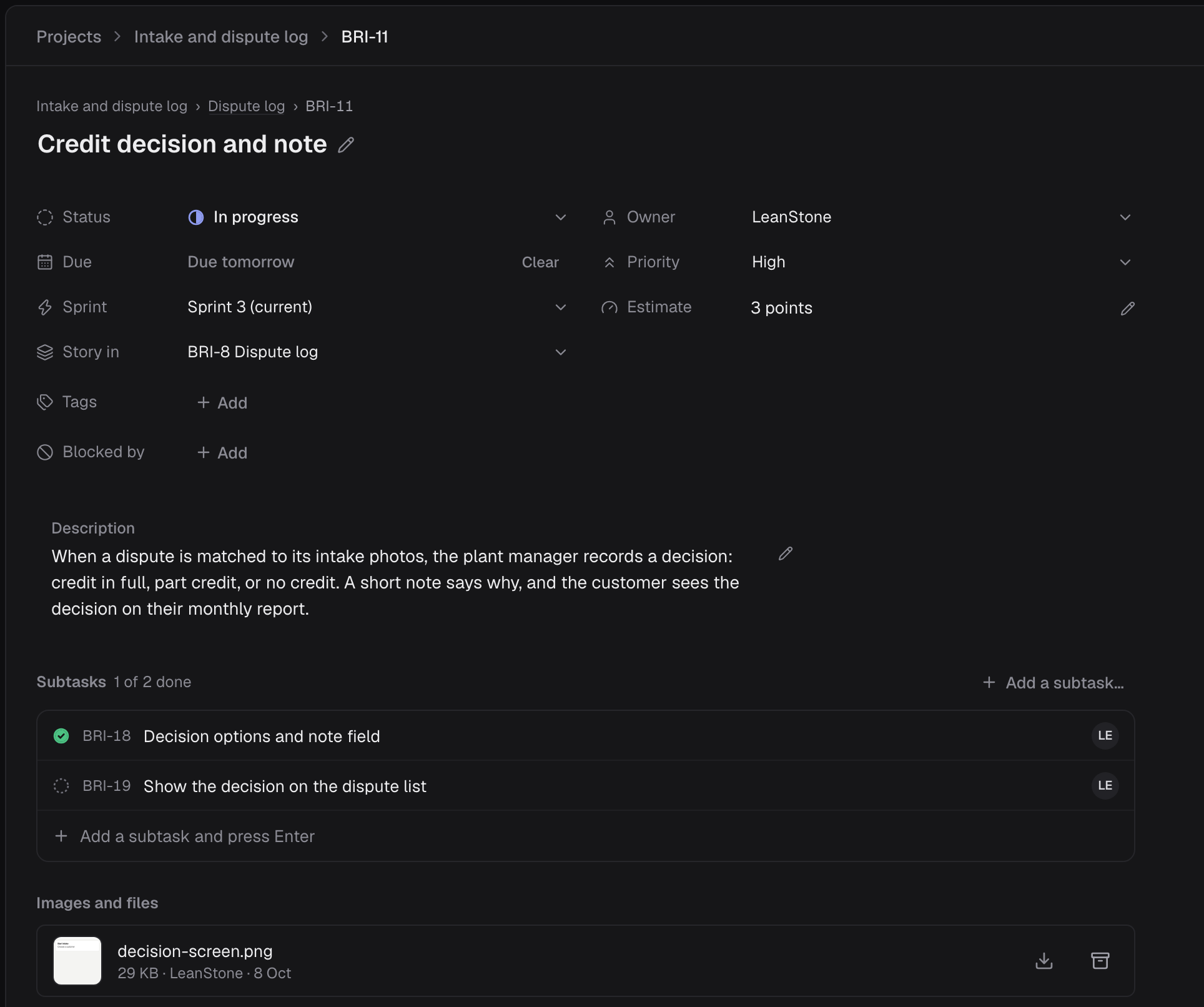
- Projects from three templates (Agile, Simple, Phased), with task keys, a list, tree or board, subtasks, blockers, points, sprints, time logging and feedback that becomes a task.
- Health that Leany suggests from late tasks, sprint pace and target dates, and that we confirm or change.
Steps 06–07
The client side
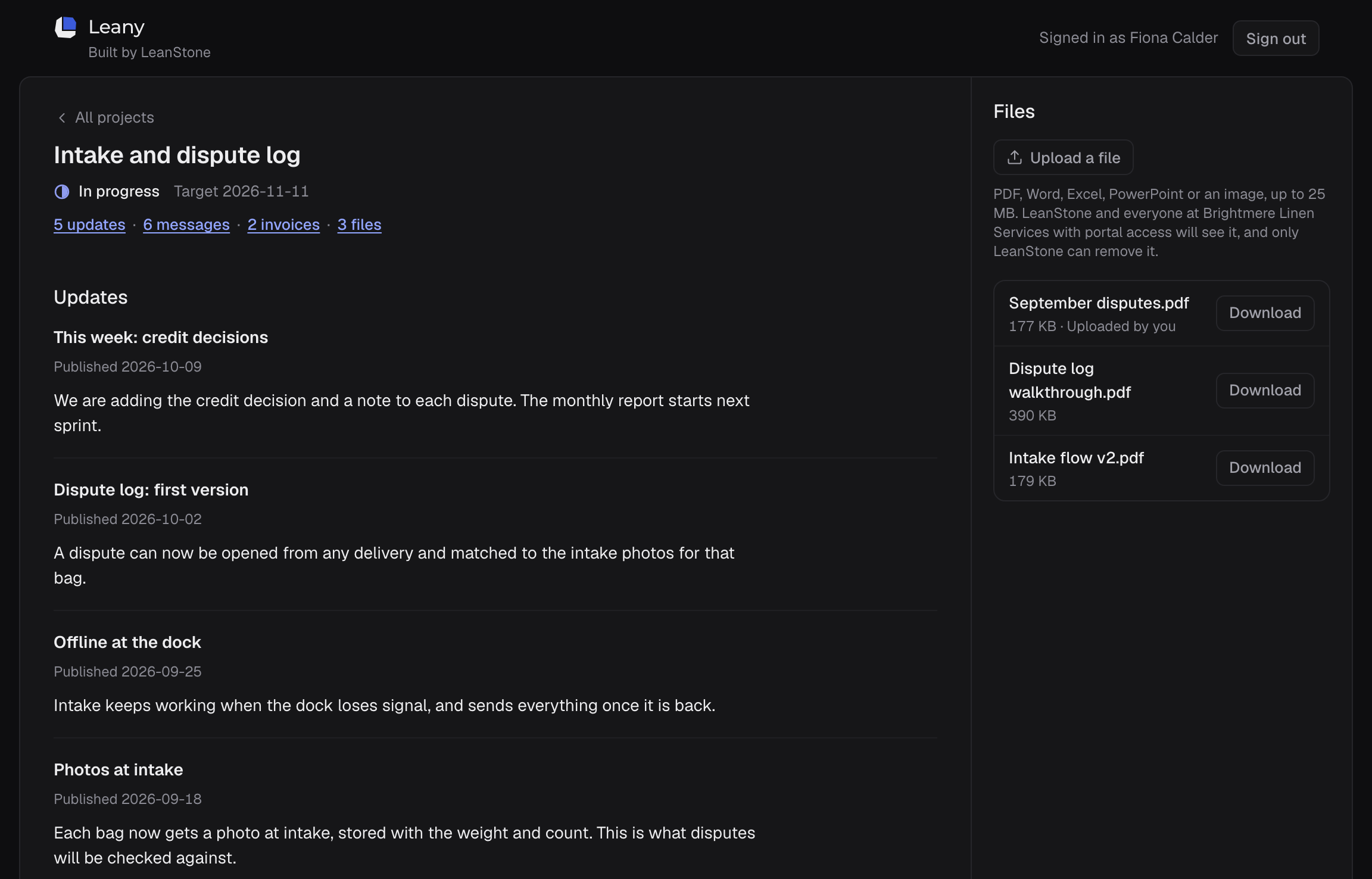
The client sees their project, not our tools.
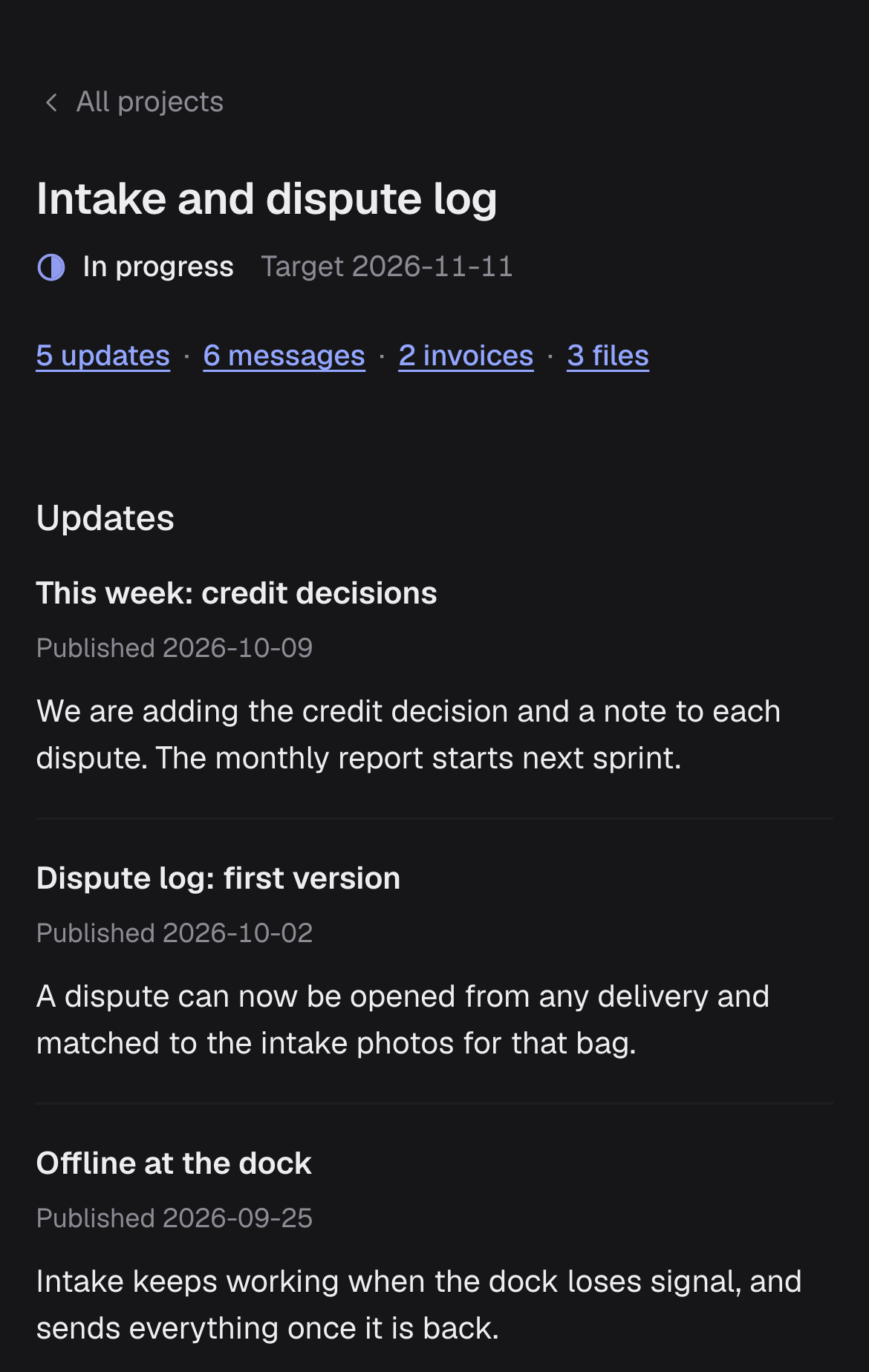
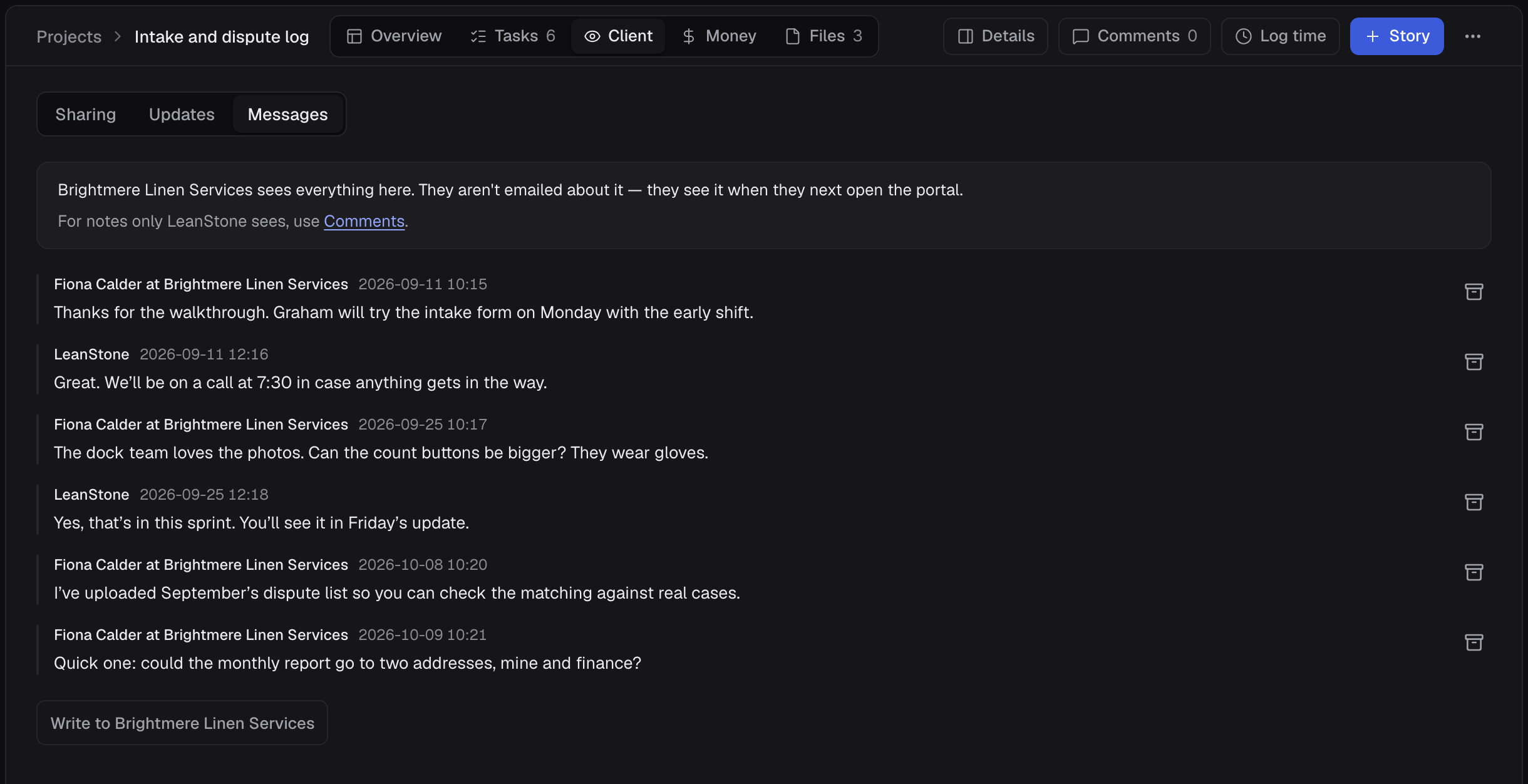
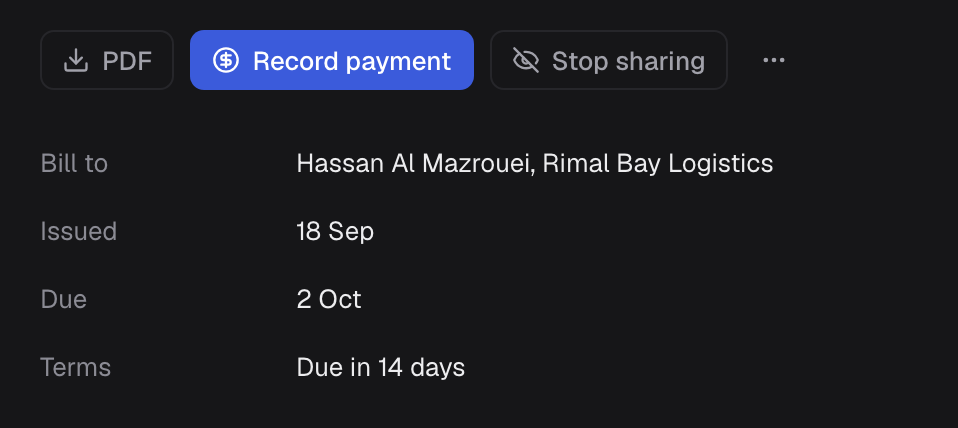
- A client portal with its own sign-in. Each client sees only its own shared projects: our published updates, a conversation with us, shared files and its own uploads, and its invoices as PDFs. It works on a phone.
- On our side, we publish, share and reply from the project’s Client view.
Step 07
Money
What came in, what went out, and what is owed.
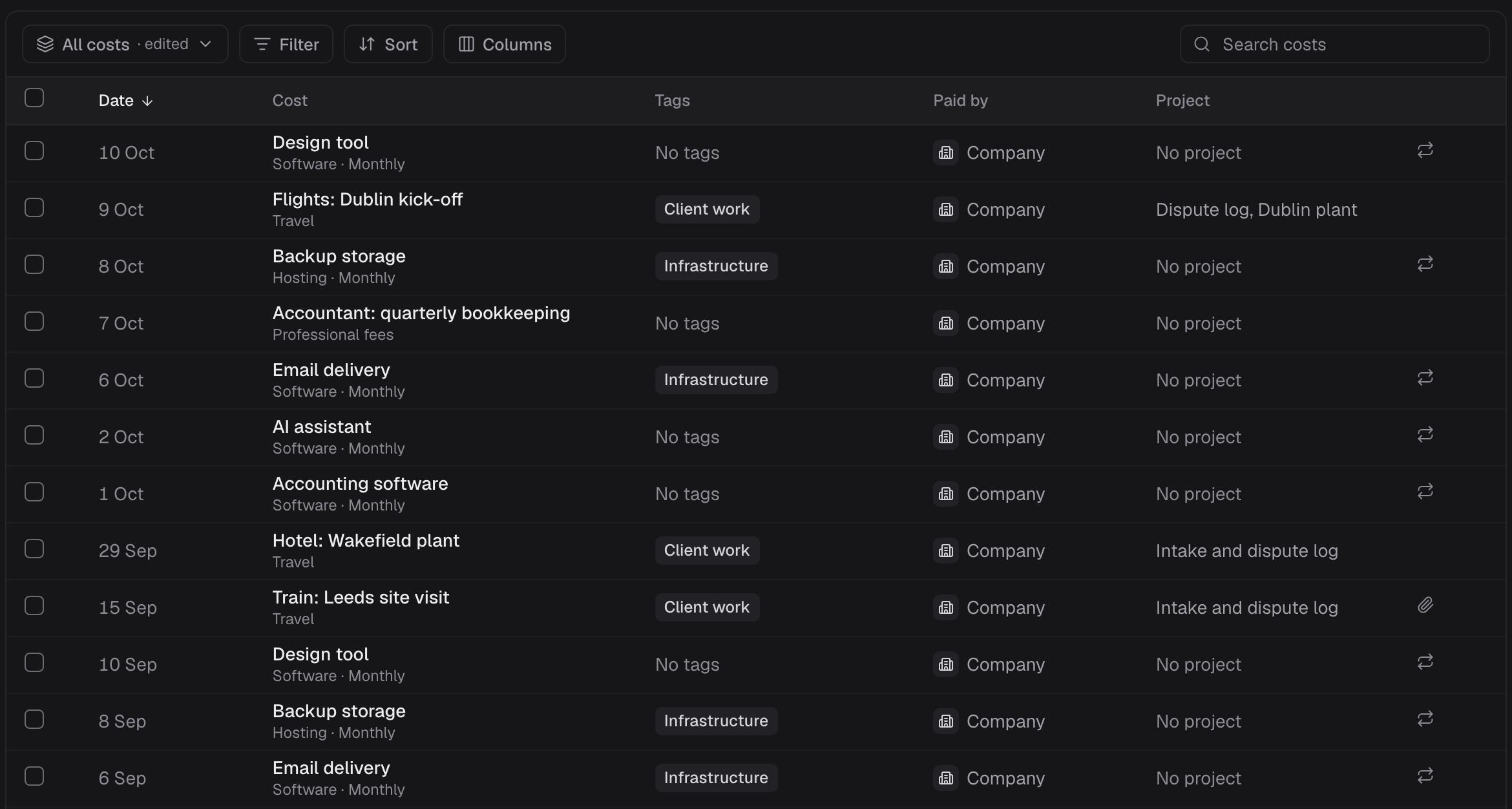
- Costs with receipts, and monthly or yearly repeats to confirm. Revenue.
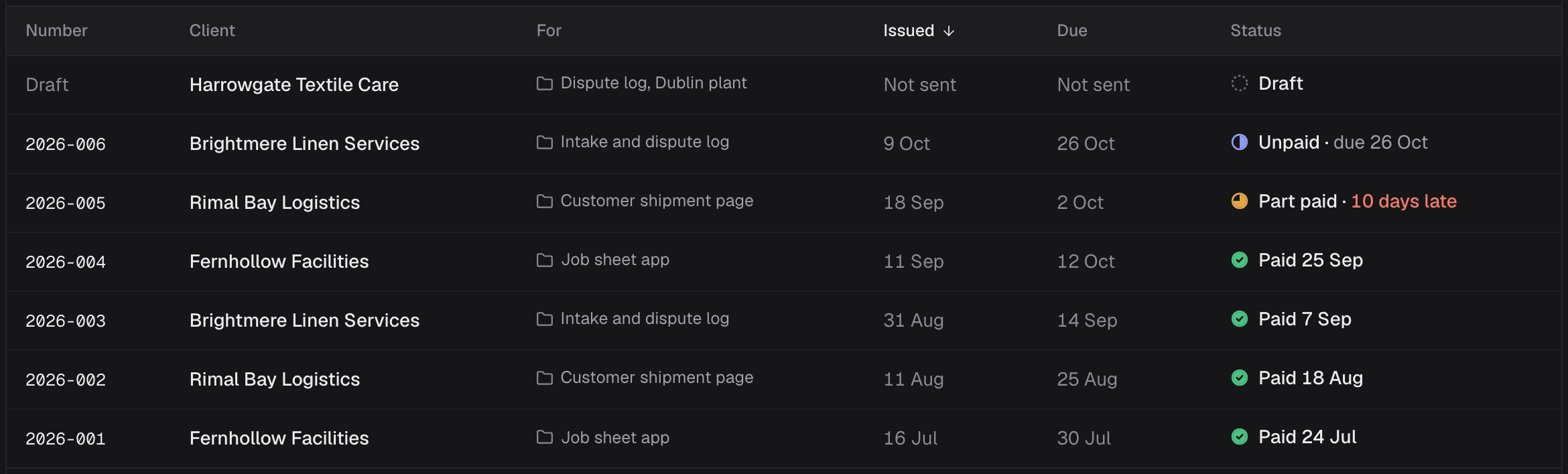
- Numbered invoices with PDFs, part payments, late flags and billing plans.
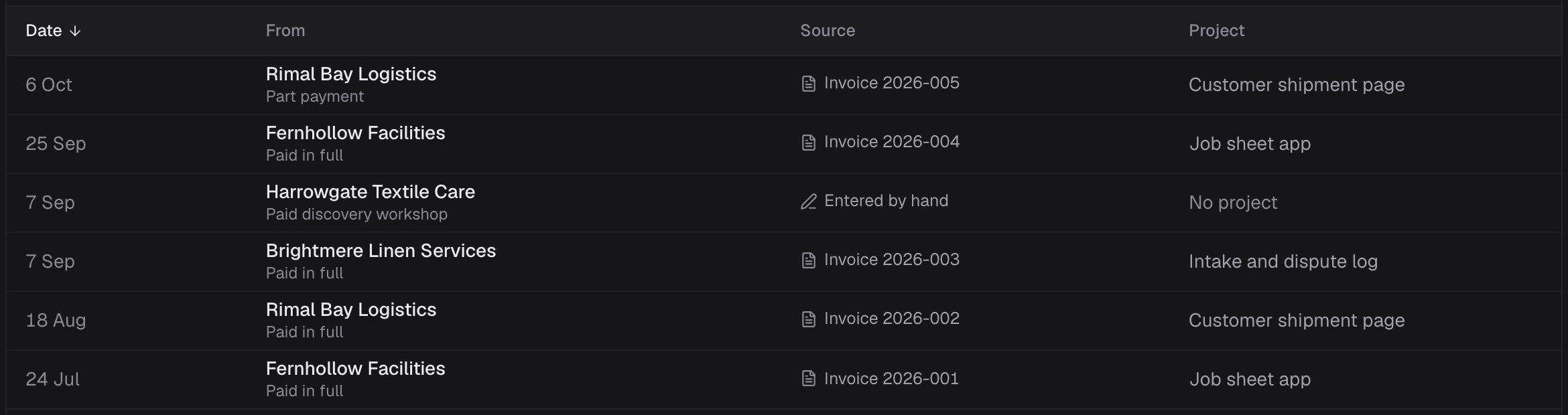
- Each payment lands in Revenue, traced to its invoice or entered by hand.
- Goals, and a monthly overview by project, client and category.
AI assistants
An assistant works as the person who connected it, and no further.
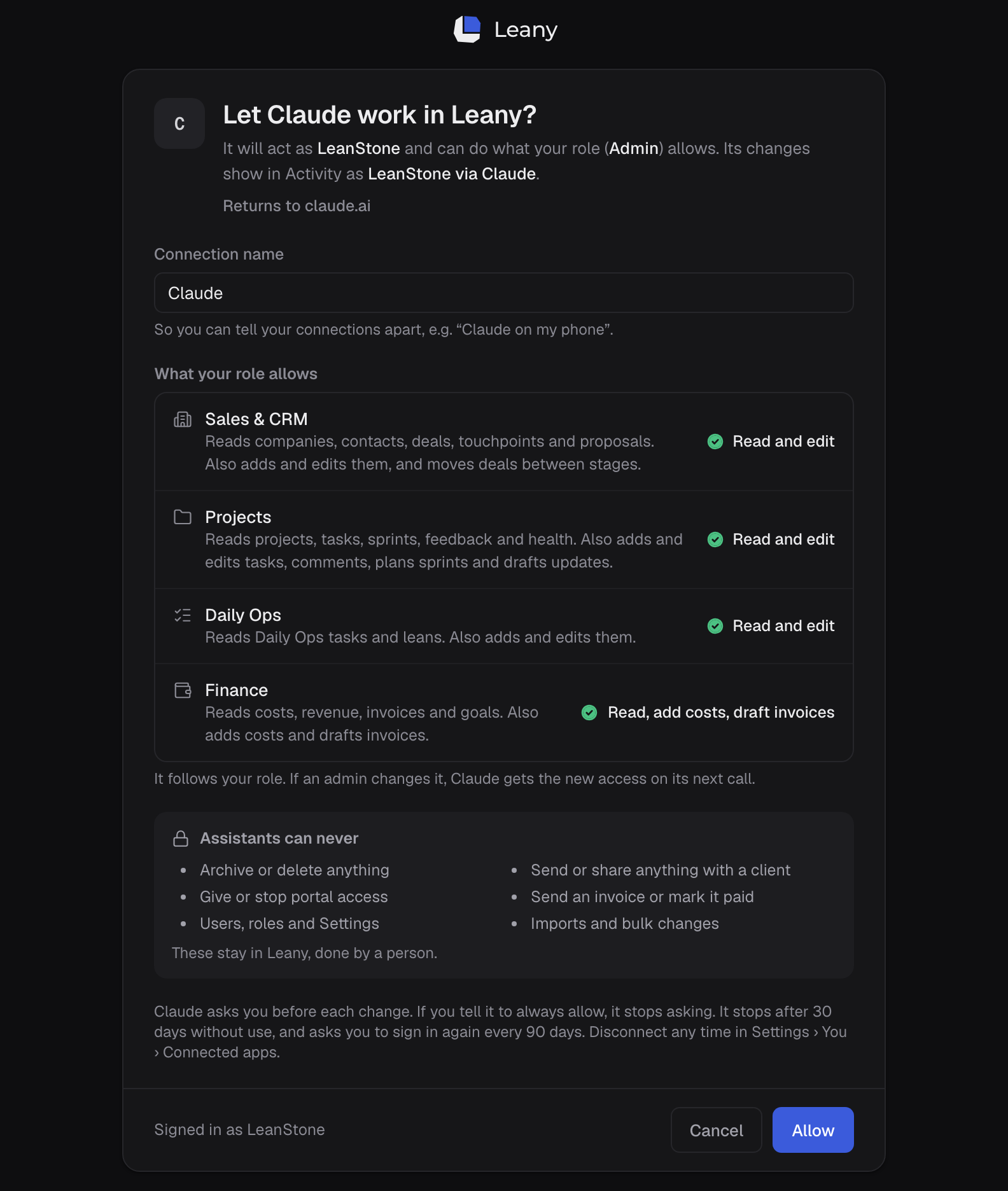
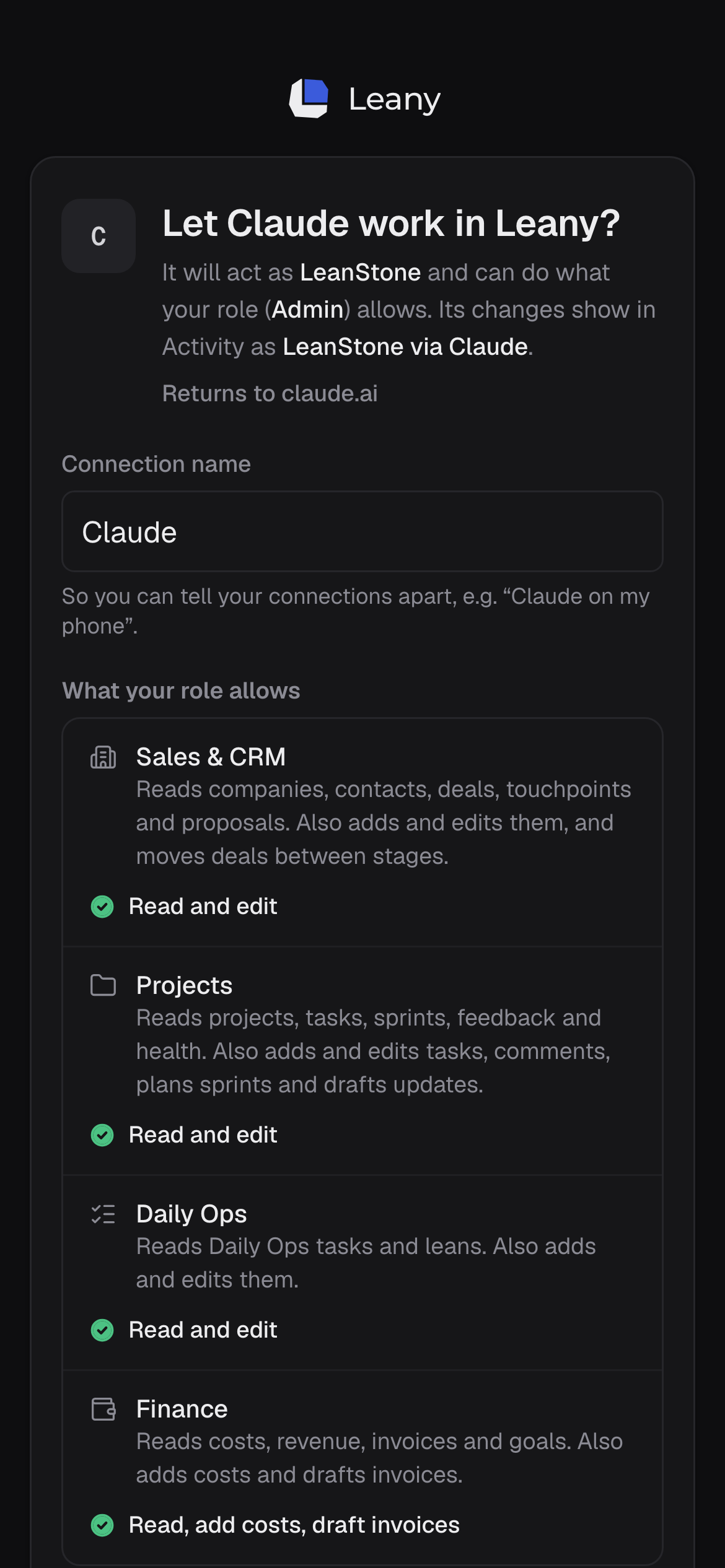
- An assistant connects by signing in. Before allowing it, the person sees what their role lets it read and change, and what assistants can never do, such as deleting, sharing with a client or marking an invoice paid.
- It acts as that person, within their role. When the role changes, the assistant follows on its next request.
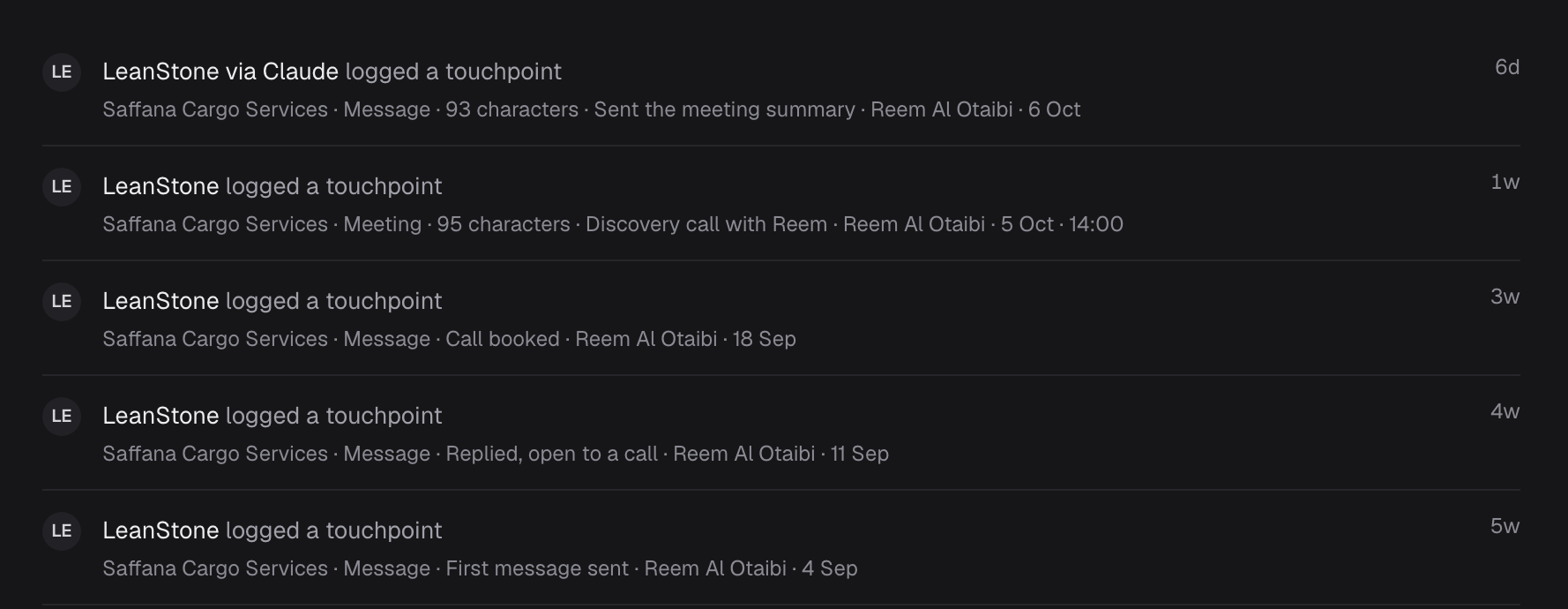
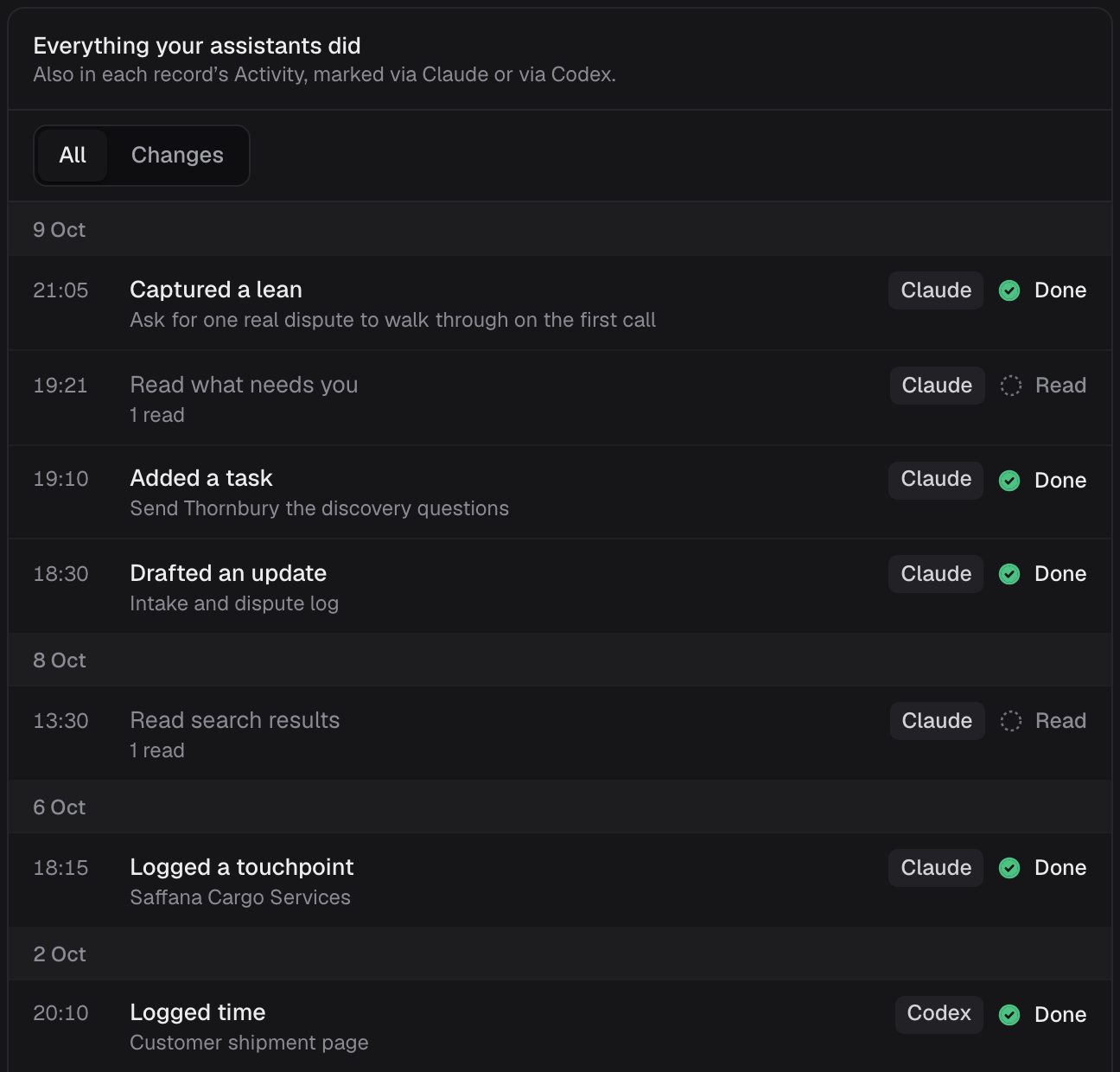
- Everything it does is listed by day, and marked on the record it touched, as the person via the assistant.
Around the work
Our own work, our ideas, and who may do what.
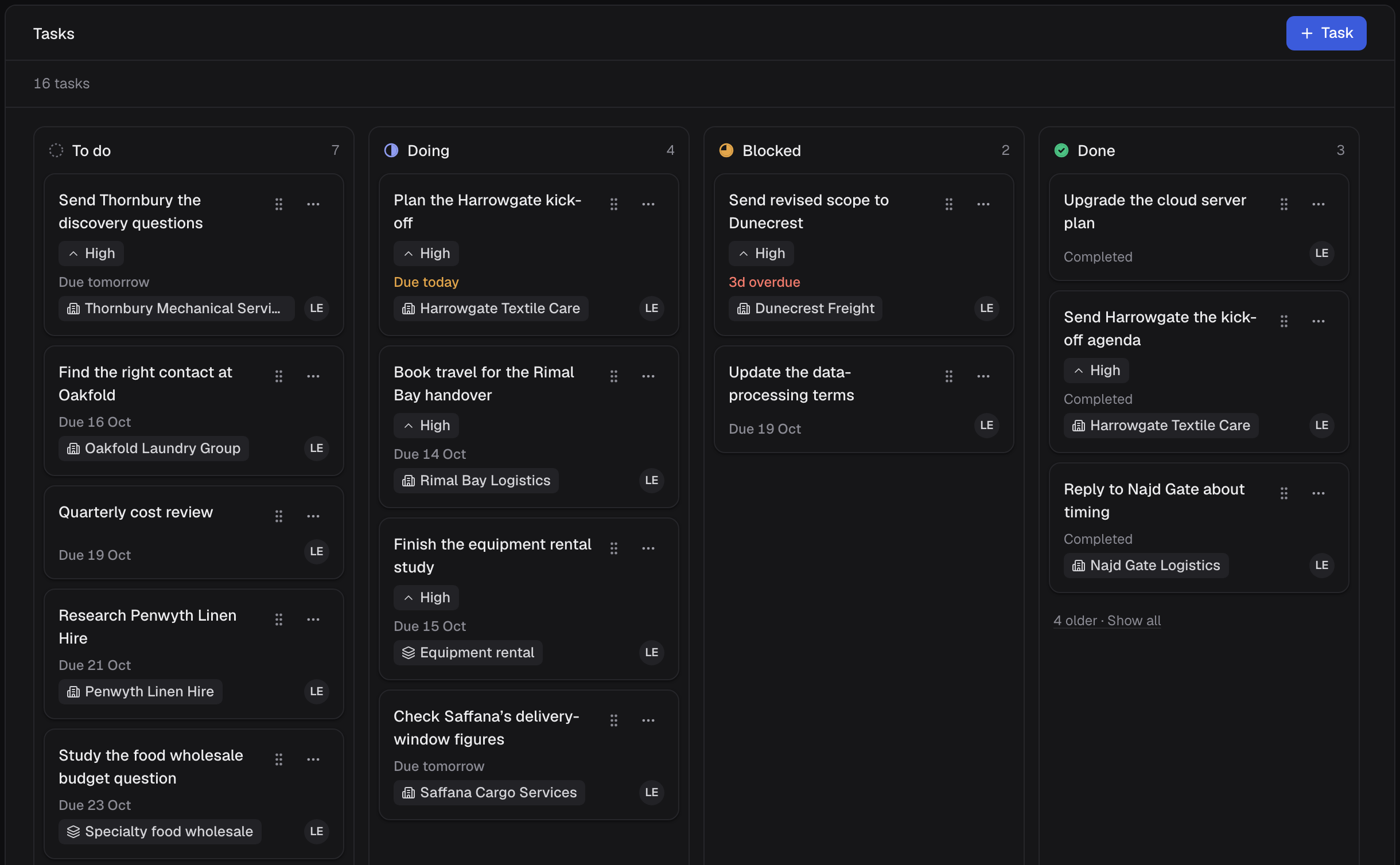
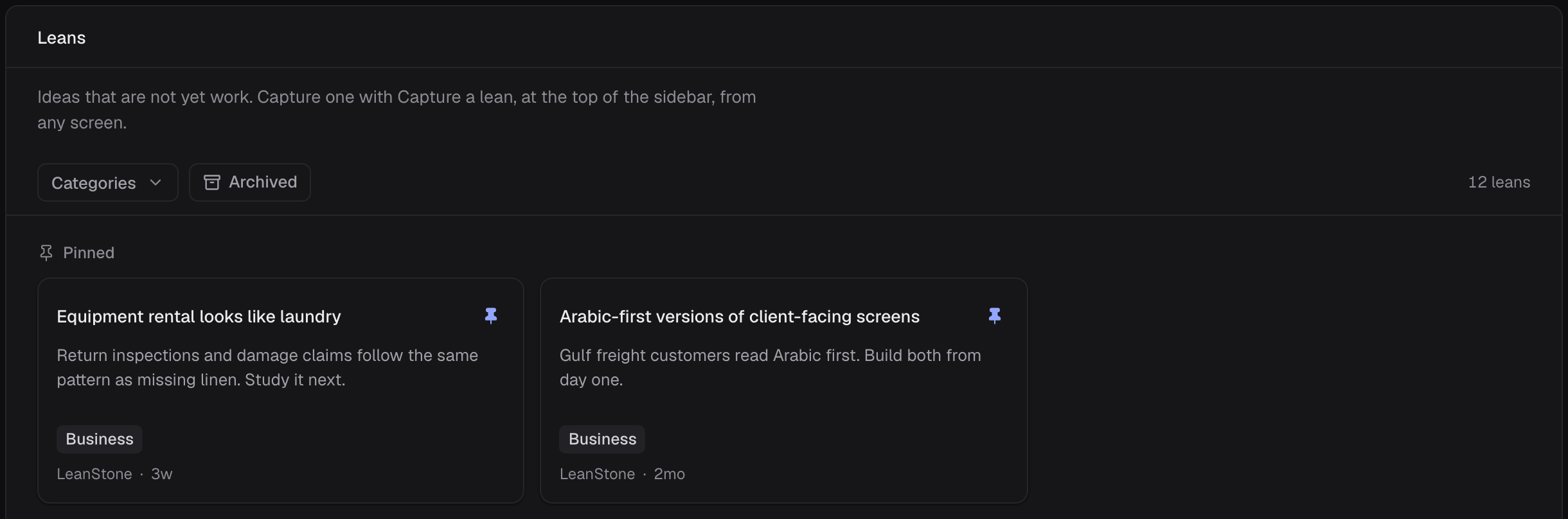
- A tasks board for our own work, linked to companies and industries, and an idea pool where ideas wait, pinned or by category, until they are dealt with or discarded.
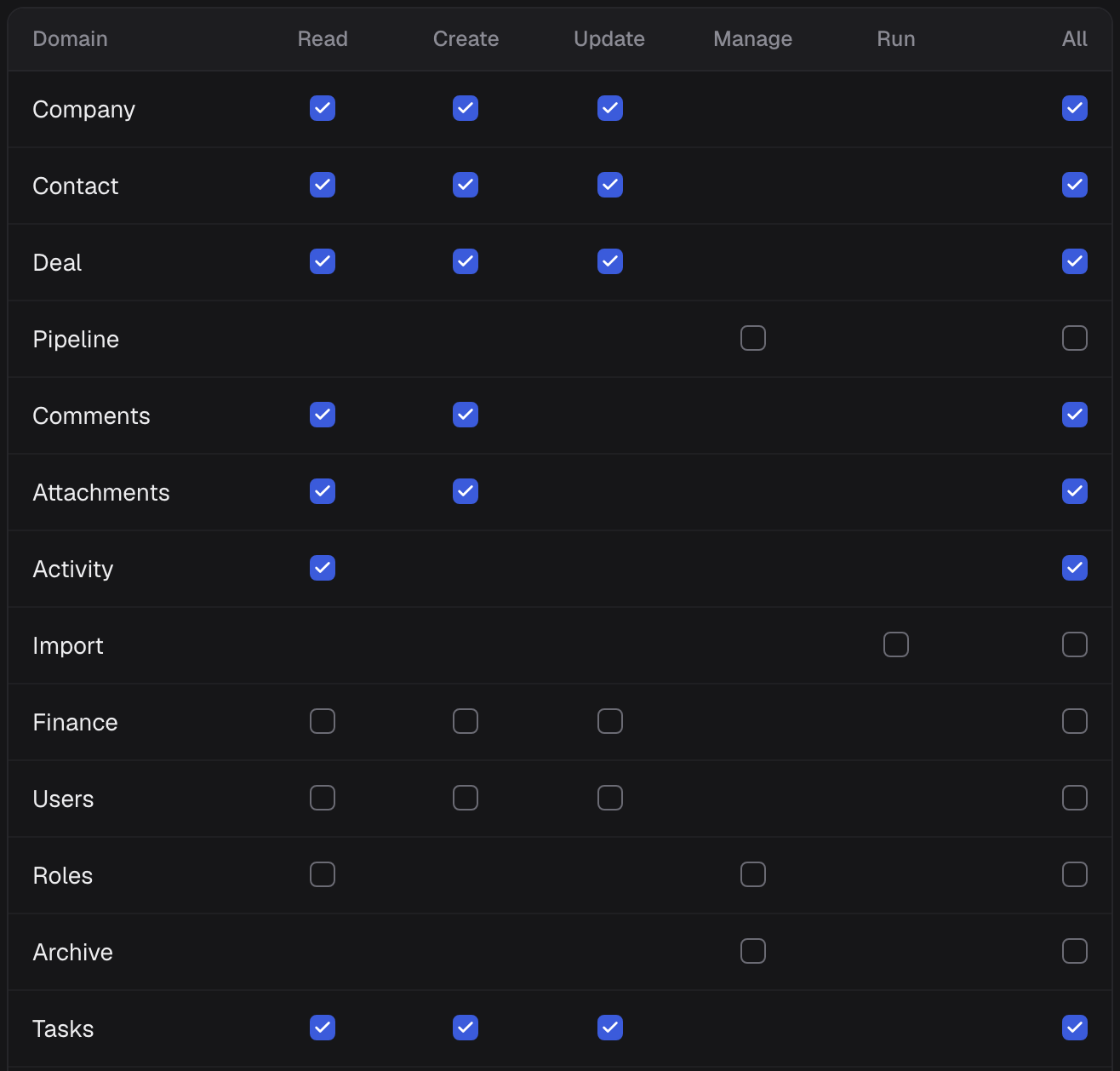
- Roles built from permission keys, so giving someone access is a setting, not new code. Search and New from anywhere, and comments with @mentions, files, an activity log and archive on every record.
Where it stands
In use: LeanStone runs on it. Work started on 1 September 2026, and version 1 went live on 12 October 2026.
It isn’t finished. What we learn running LeanStone goes back into it.
Every company, person and figure in the screenshots is invented sample data.
Next
Work Orders, repair management for property managers
For property managers · 2026 · not yet launched
Lean your process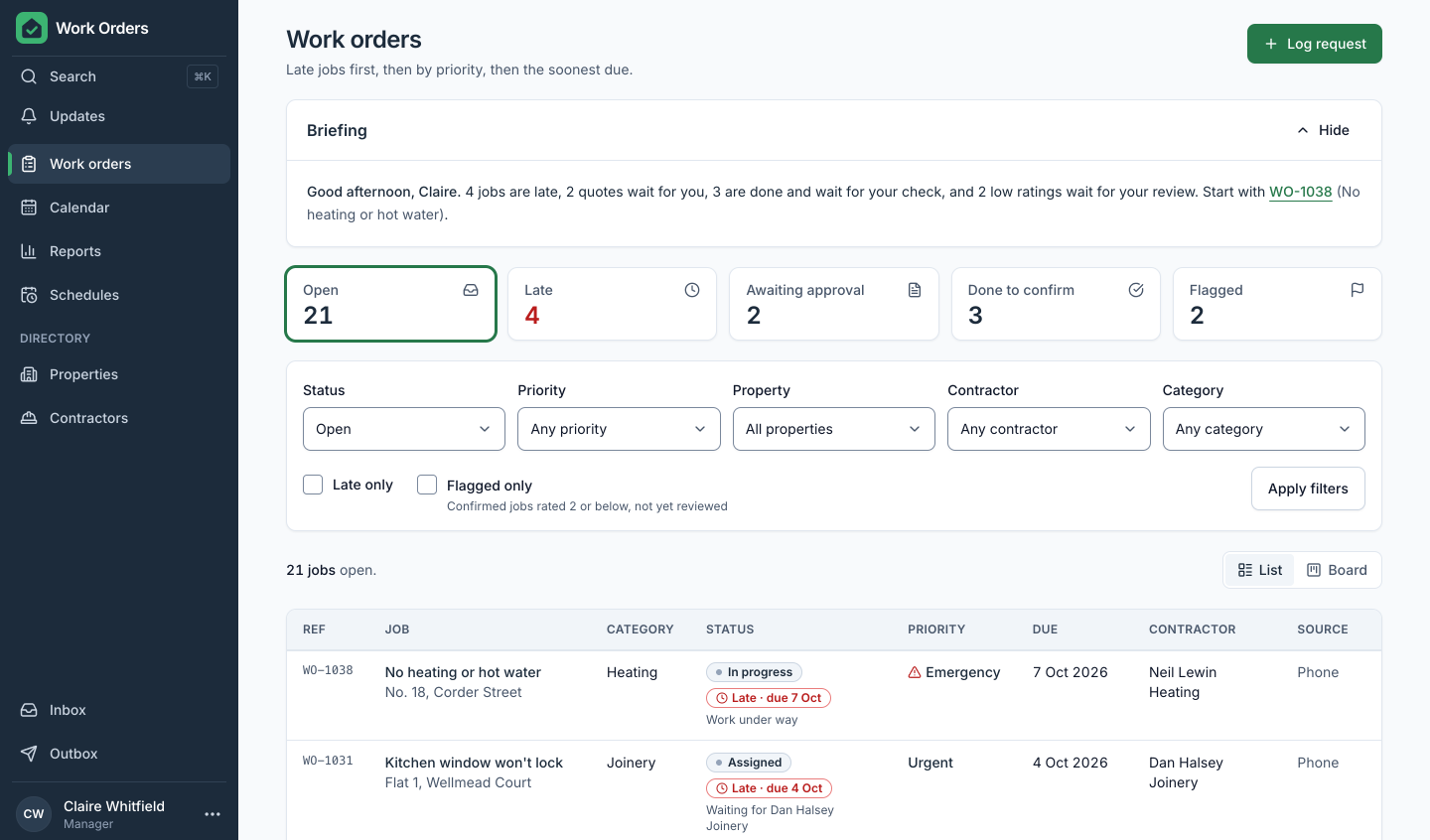
Rather talk it through first?
Book a call with LeanStone. Pick a time that suits you; the invite comes with a video link.